Agencies handing over a snapshot
A new client opens the account and sees only the screens the snapshot uses, named the way their trade names them. Fewer “where is…” emails in week one.
Titles, trades and body copy across every page.
A specimen library of GoHighLevel builds
Home · The customizer · Menus and navigation
Specimen B · Menus and navigation
Included from Pro Theme ($457) and in Ultimate Theme.
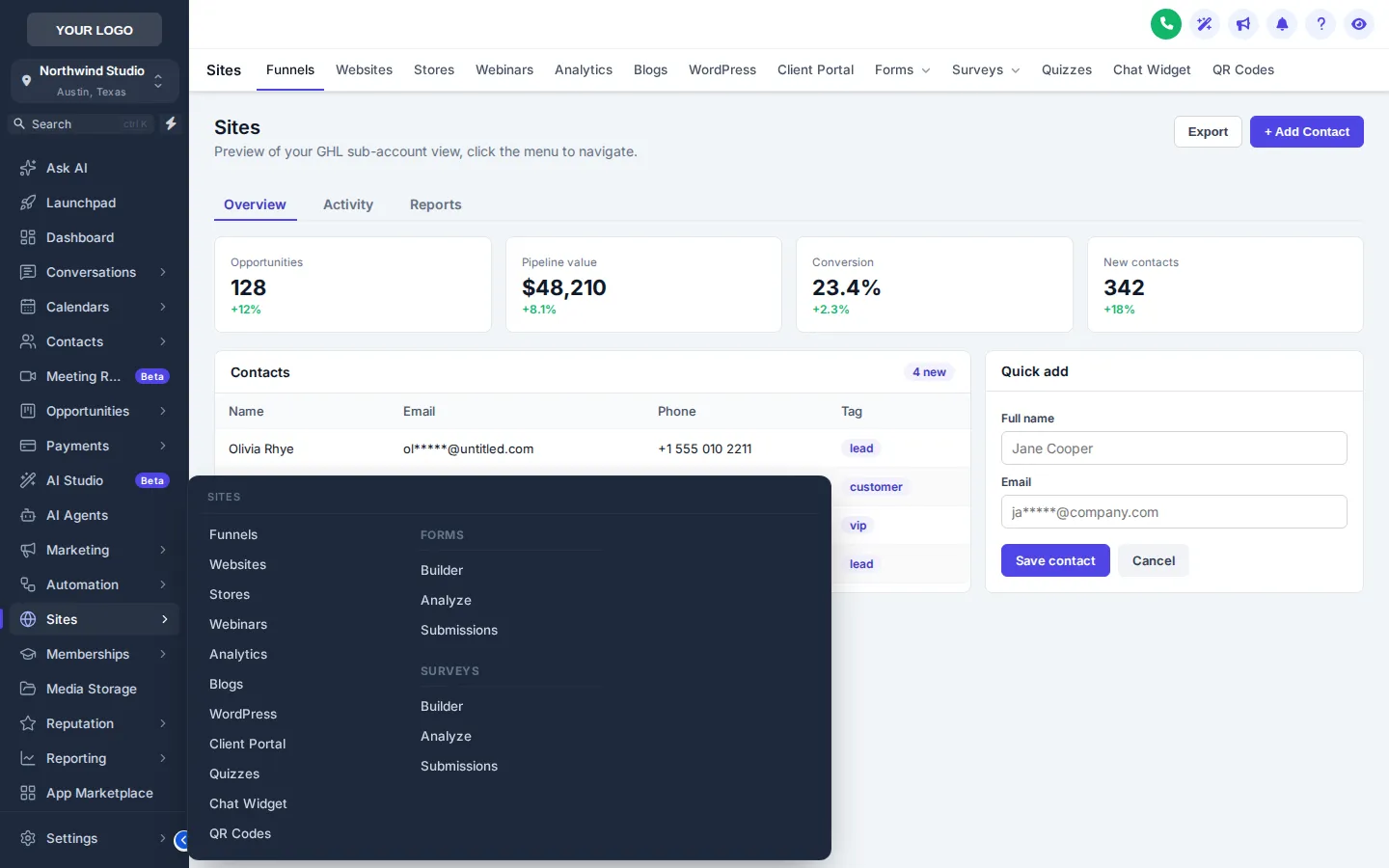
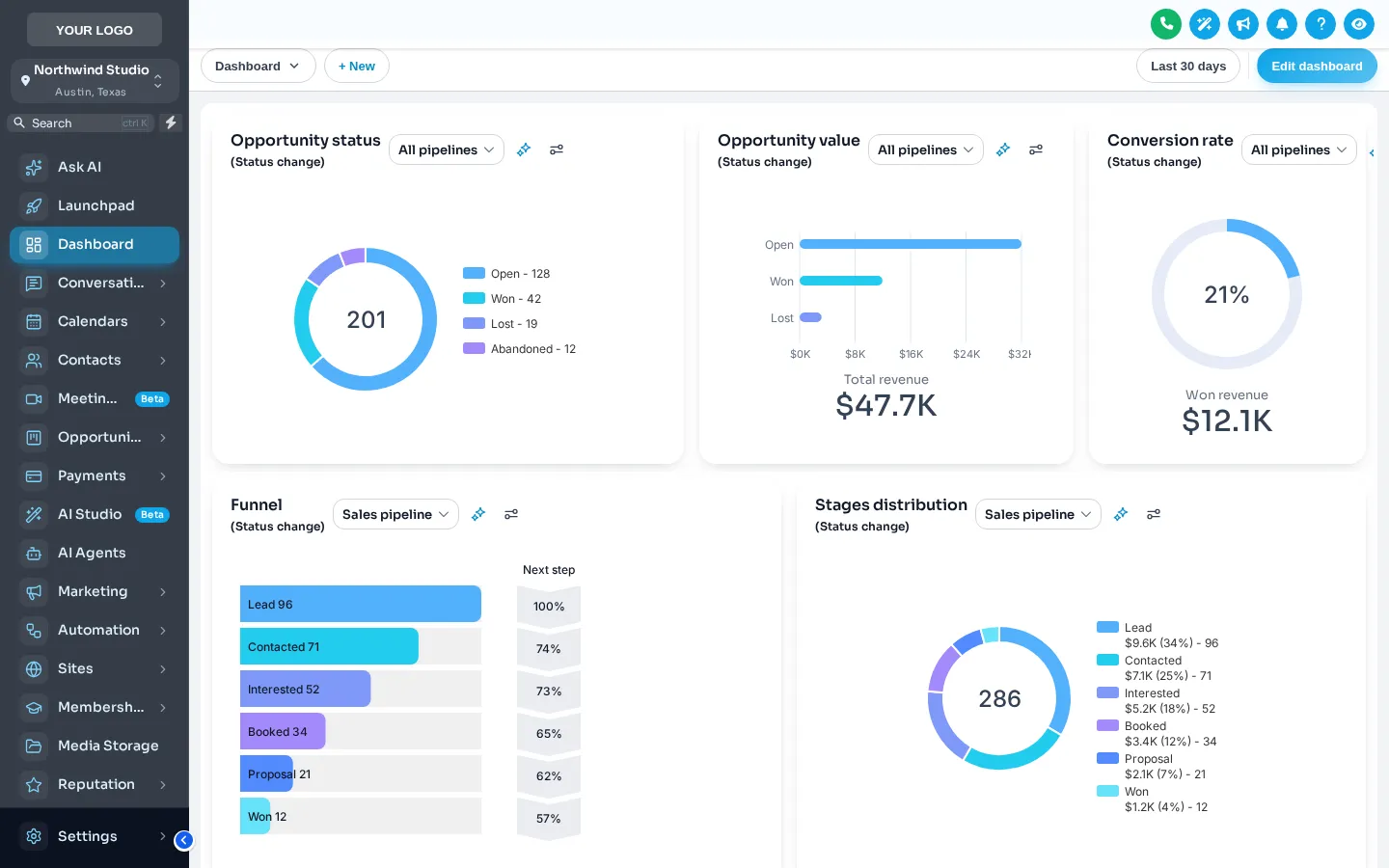
A GHL custom menu rearranges GoHighLevel’s navigation around your clients’ day: rename, reorder, hide or add items, pick a sidebar or top bar, and open sections as mega menus. The customizer offers 8 mega menu styles, 8 top-bar styles, 8 header styles and a floating quick menu.
Navigation is the only part of the app every user touches on every visit.
Before and after
Stock GoHighLevel
With the customizer
The press · live
What is in the case
B.1
Drag items into the order people use them, rename them in your client’s language, hide what they never open and add your own links.
B.2
Left sidebar, right sidebar, a top bar in 8 styles, or a top bar merged with the header. Layout is in every package.
B.3
Columns, split, cascade, tiles, tabs, icon rail, accordion and wide. A section with sub-pages opens as one panel instead of a nested list.
B.4
From GoHighLevel’s default to soft tint, brand, gradient, aurora, dark, glass and an accent line.
B.5
A draggable bubble, dock or side rail with the shortcuts your team uses most, in 8 finishes.
B.6
For dense screens, the sidebar collapses to icons and expands on hover, without losing any item.
Setting menus and navigation
Nobody designs or installs it for you, and nobody needs your GoHighLevel password. You set it yourself, and support is there if you get stuck.
Sidebar, right side or top bar. Choose a top-bar and header style if you go across the top.
Rename, reorder, hide and add links for the agency view and the sub-account view separately.
Choose a plain list or one of the mega styles for sections with sub-pages.
Pick its layout and finish and the shortcuts it carries. It goes live with the rest on the next page load.
Who sets it, and why
A new client opens the account and sees only the screens the snapshot uses, named the way their trade names them. Fewer “where is…” emails in week one.
Conversations, calendars and contacts one tap away in the quick menu, wherever in the app the call takes them.
Add a menu item that opens your docs, your booking page or a training library, inside the menu people already use.
Proofs on file
Which package
Included from Pro Theme ($457) and in Ultimate Theme. One-time payment, lifetime access; the login is emailed within minutes of paying, at most 24 hours.
Does not include menus and navigation.
One-time payment, lifetime access. Your login is emailed within minutes of paying, at most 24 hours. All sales are final.
Queries · Menus and navigation
Yes. You can rename, reorder and hide items, add your own links, and move the menu to the right or across the top. The agency view and the sub-account view are edited separately.
Sidebar and top-bar layout are in every package, from Essential Theme. Mega menus and the floating quick menu start at Pro Theme ($457) and are also in Ultimate Theme.
A mega menu opens a section with sub-pages, such as Sites or Payments, as one wide panel showing every sub-page at once instead of a nested list. There are 8 styles, from columns and tiles to tabs and an icon rail.
No. Hiding is presentation only; GoHighLevel’s own user permissions still decide what each person can open. Use permissions for security and the menu for clarity.
A small launcher that floats over every page with the shortcuts you choose. It comes as a bubble with a grid, a dock bar or a side rail, in 8 finishes, and users can drag it out of the way.
Yes. The menu is rebuilt by the customizer script on each page load from your saved settings, so it does not depend on edits inside GoHighLevel that an update could overwrite.
The sub-account menu is set once for your agency, and with Pro Theme sub-account self-service a client can adjust their own within the limits you allow.
Included from Pro Theme ($457) and in Ultimate Theme. Every package is a one-time payment with lifetime access to a GHL Customizer account; the login is emailed within minutes of paying, at most 24 hours, and you set everything up yourself in the live editor.
ThemesForGHL and the GHL Customizer are independent and not affiliated with HighLevel Inc. GoHighLevel is their trademark, used here to say what the product works with.
The last word
Pick the weight that covers what you want to change. The login is in your inbox within minutes, and you can have the theme live before lunch.
Set to taste
Kept on this device only.